Summary
To practice building a website with HTML and CSS, We'll build recreations of four Josef Müller-Brockmann's Musica Viva exhibition posters.
We'll work on this as homework and in class for the next week, with all four posters being completed and uploaded to your class site by Thursday Feb 13.
We'll build the following 4 posters.
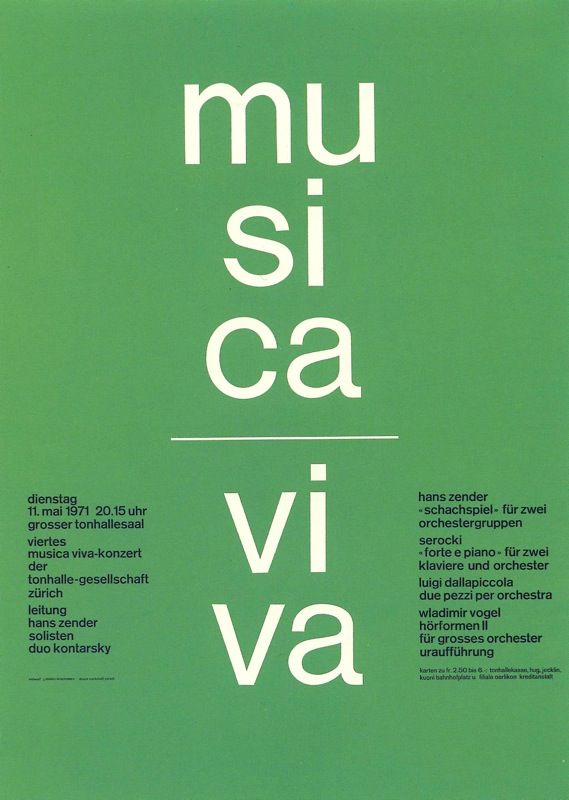
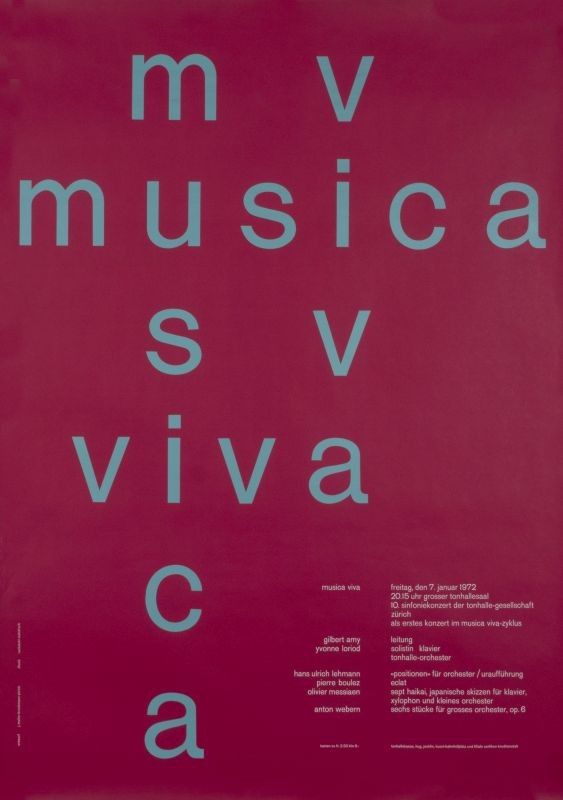
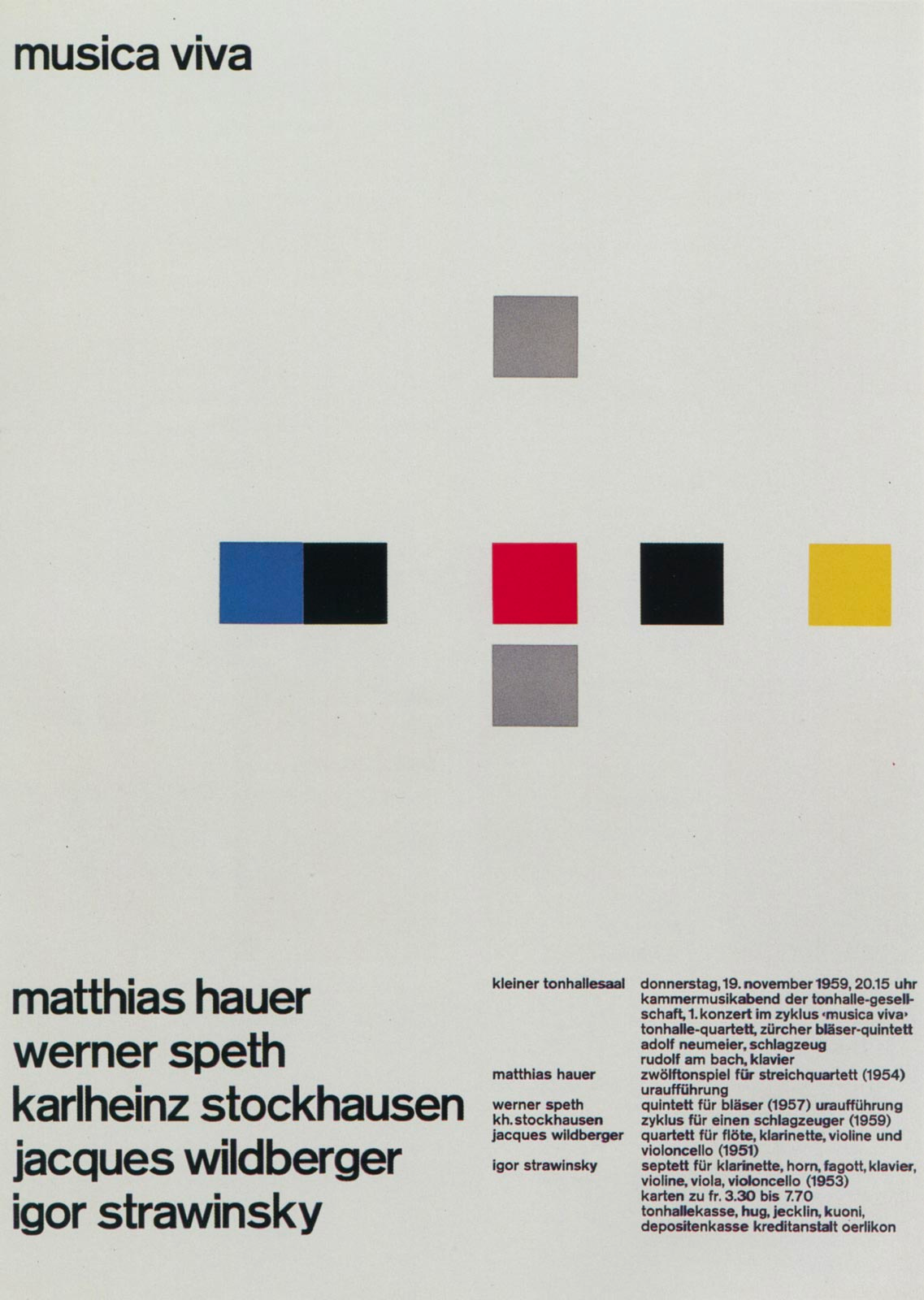
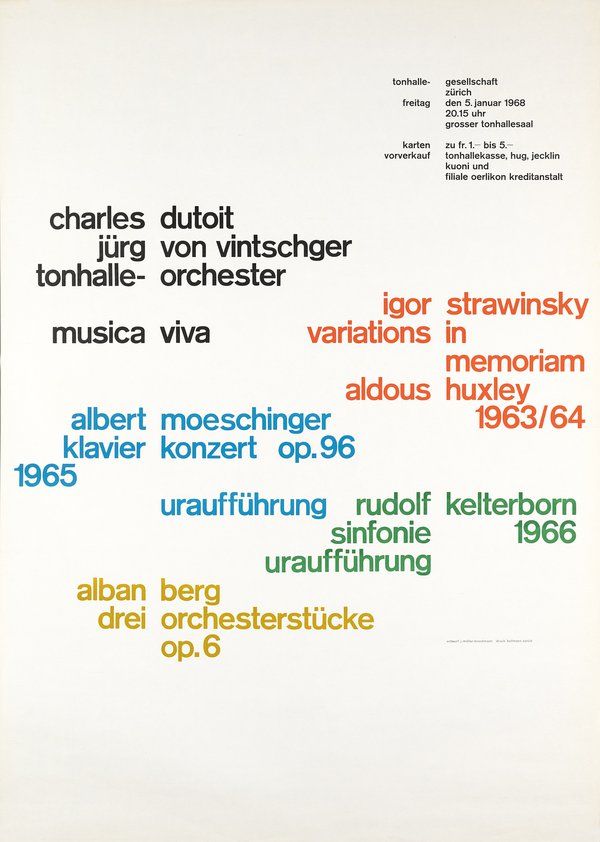
Requirements
- Your posters should assume portrait viewport (i.e. your phone), but still viewable on desktop. Make your webbrowser tall and skinny.
- Use
Helvetica Neueas the typeface for the posters.
How to get Started
- Make a folder named
musica-vivainside yourinteractive-1folder. - Create
index.htmlandstyle.css. - Within the HTML, create links pointing to 4 html files for each poster.
- Create corresponding HTML files within the folder. All HTML files should refer to the same
style.css.
Once setup, your working folder should look like:
    📂 interactive-1/
        📂 musica-viva/
            ├ index.html
            ├ style.css
            ├ poster-1.html
            ├ poster-2.html
            ├ poster-3.html
            ╲ poster-4.html
and your index.html should look something like
<!DOCTYPE html>
<html>
    <head>
        <title>Musica Viva</title>
        <meta charset="utf-8">
        <link rel="stylesheet" type="text/css" href="style.css">
    </head>
    <body>
        <ol>
            <li>
                <a href="poster-1.html">the first poster</a>
            </li>
            <li>
                <a href="poster-2.html">the second poster</a>
            </li>
            <li>
                <a href="poster-3.html">the third poster</a>
            </li>
            <li>
                <a href="poster-4.html">the fourth poster</a>
            </li>
        </ol>
    </body>
</html>
Start by getting the content on the page broken up into groups (with DIV tags) and with P or ul and li tags as you think is appropriate. Name the div's so that you'll be able to style them individually as needed.
For example, for poster-1.html you might do something like:
<div id="poster1-left-column">
    <p>dienstag</p>
    <p>11. mai 1971 20.15 uhr</p>
    <p>grosser tonhallesaal</p>
    <p>viertes</p>
    <p>musica viva-konzert</p>
    <p>der</p>
    <p>tonhaller-gesellschaft</p>
    <p>zürich</p>
    <p>leitung</p>
    <p>hans zender</p>
    <p>solisten</p>
    <p>duo kontrasky</p>
</div>
once you have your content on your page you can start styling it. to style that left column I made above, I can start by doing something like this in my style.css:
#poster1-left-column {
    width:30vw;
    margin-top:60vh;
}
#poster1-left-column p {
    font-size:12px;
}
the order you work on the posters is up to you. if you are stuck, make sure you've completed the Learn CSS content on Code Academy.
you can also check out Positioning Lesson on MDN and Floats Lesson on MDN. these examples work best for me in Safari FYI.
Text Content for each Poster
These are links to text files containing all the text from each poster. ??? means that the text in our example is illegible, feel free to use placeholder text in such cases.